Troubleshooting Forum
This Topic is for troubleshooting problems in Armor paint after Version 1.0 Alpha and RC1 cameout.
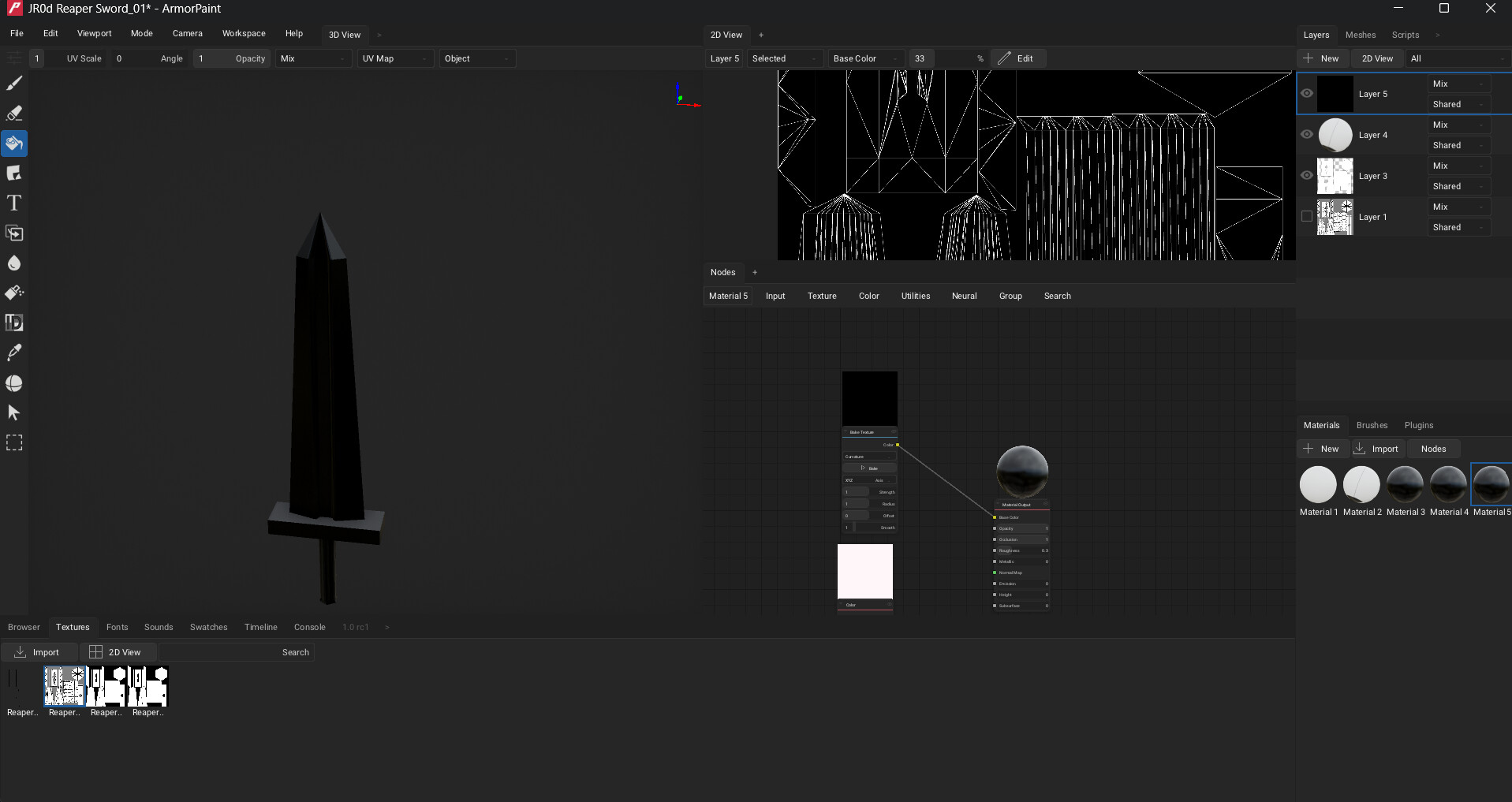
Curvature on the Bake Texture Node Doesn’t work on version 1.0 at all. A hotfix needs to be made.
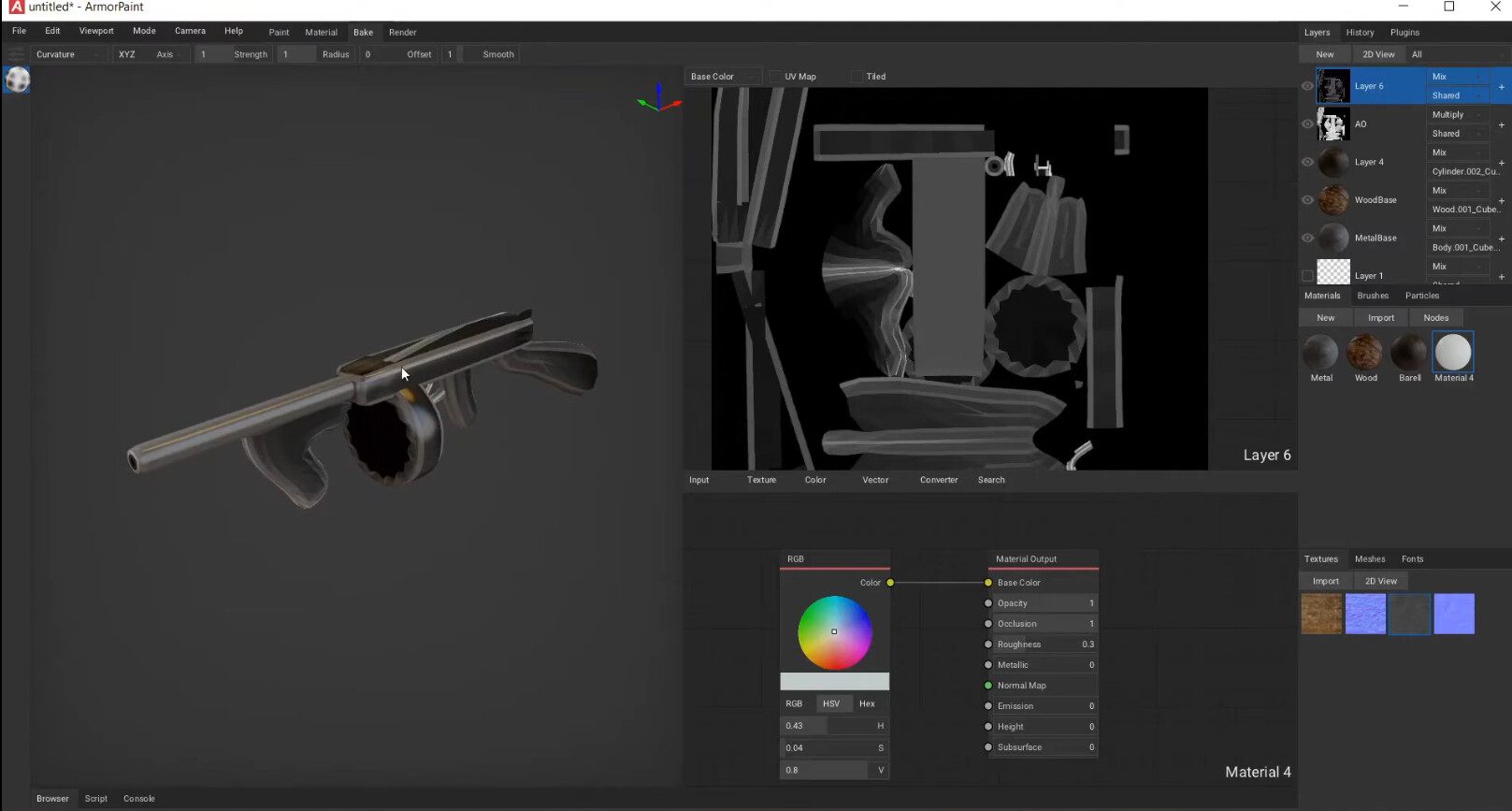
Previous Version Results from youtuber CrushJosch as of September 16th 2020
There is no longer a bake workspace, and baking textures had been turned into a node, and the node has only one color output with no vector input or any other additional inputs(Doesn’t Work).
My assumption is that you have to use 1 layer to create the curvature bake with multiple textures in the same material node but the problem in the bake texture node only has one output.
Occulsion(AO) works.
Additional Problems With Armorpaint in General:
- Armorpaint Has no Stroke Stabilization(No Stroke Stabilization Addon Either)
- The Android Verison Has a lazy version of Professional Line(like hipaint) and no Global jitter Correction. Desktop version has no professional line feature.
- Terrible for low poly painting in general(the lines come out with low pixel resolution)
- Very time consuming
- Have to use Gimp along with Armorpaint to make crisp lines.
- Painted lines don’t come out crisp.
- No line tool
- Fails in comparison to blender texture paint
Advantages of Armorpaint
- Android, and IOS version
- If your tablet supports palm rejection it works
- User interface is simple and easy to learn
- Can be used with a drawing pad or graphic pad
- Node interface is simple and intuative.
- Hardware and Software optimization is better than native vanilah blender
- The only realworld advantage Armorpaint has over Blender texture paint is that there is a Android and IOS version
Please add more troubleshoot information to this forum topic for the further development of Armorpaint
 I know that the price that I (and probably some other folks) paid to have it on Android, wasn’t much, but … do you happen to have pre-built apk, so I can just install it on my tablet?