Bug: Opacity not exported

Hello again!

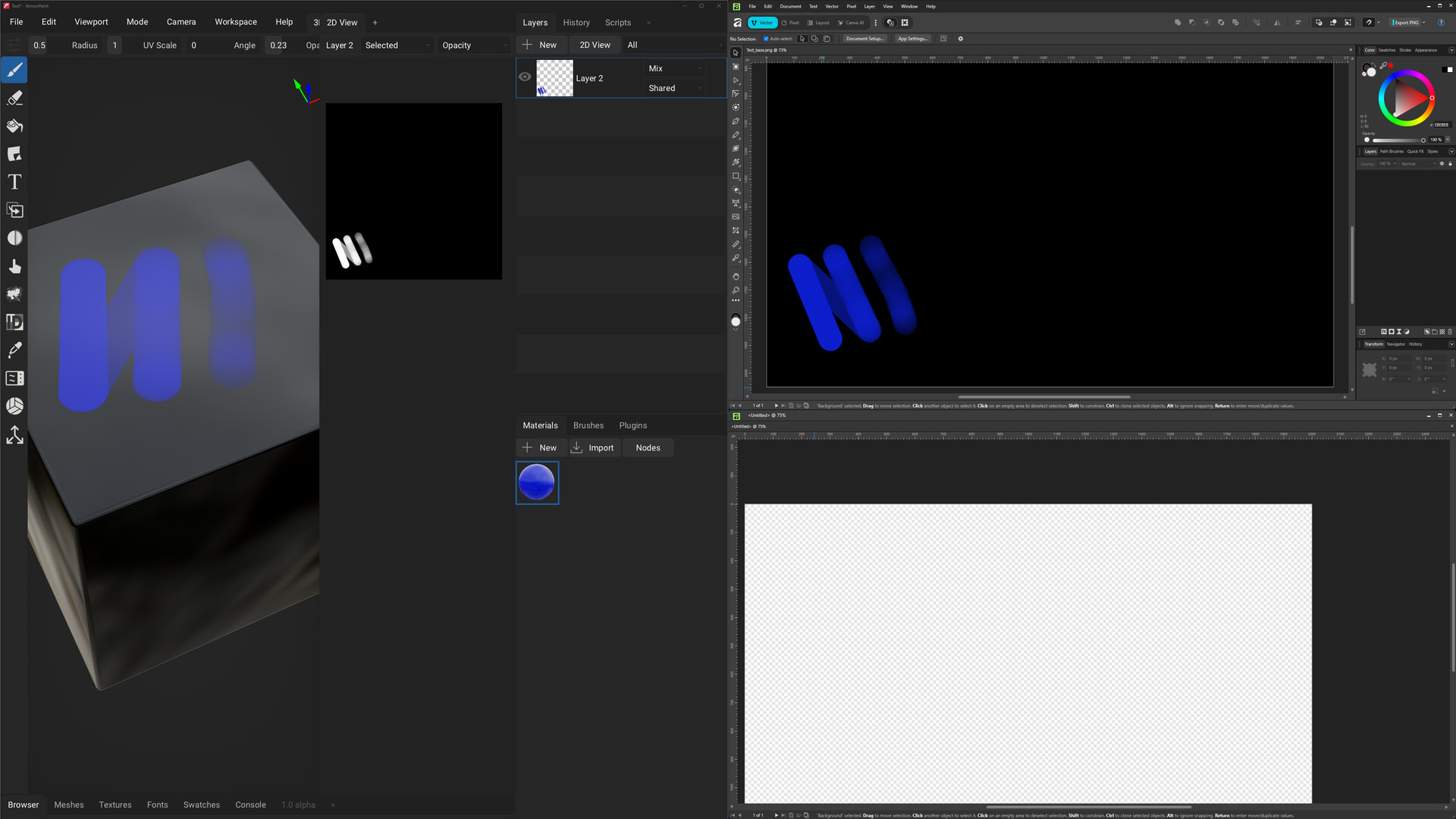
It appears that the opacity channel isn’t being exported with the base map - or in the alternative, an opacity map isn’t being exported.

Just included an empty transparent image in the screenshot to show Affinity displays transparency via the usual checkerboard pattern.

Let me know if there’s anything else I can do to assist with this, or if there’s something I’m missing.

Thanks!

Hi!

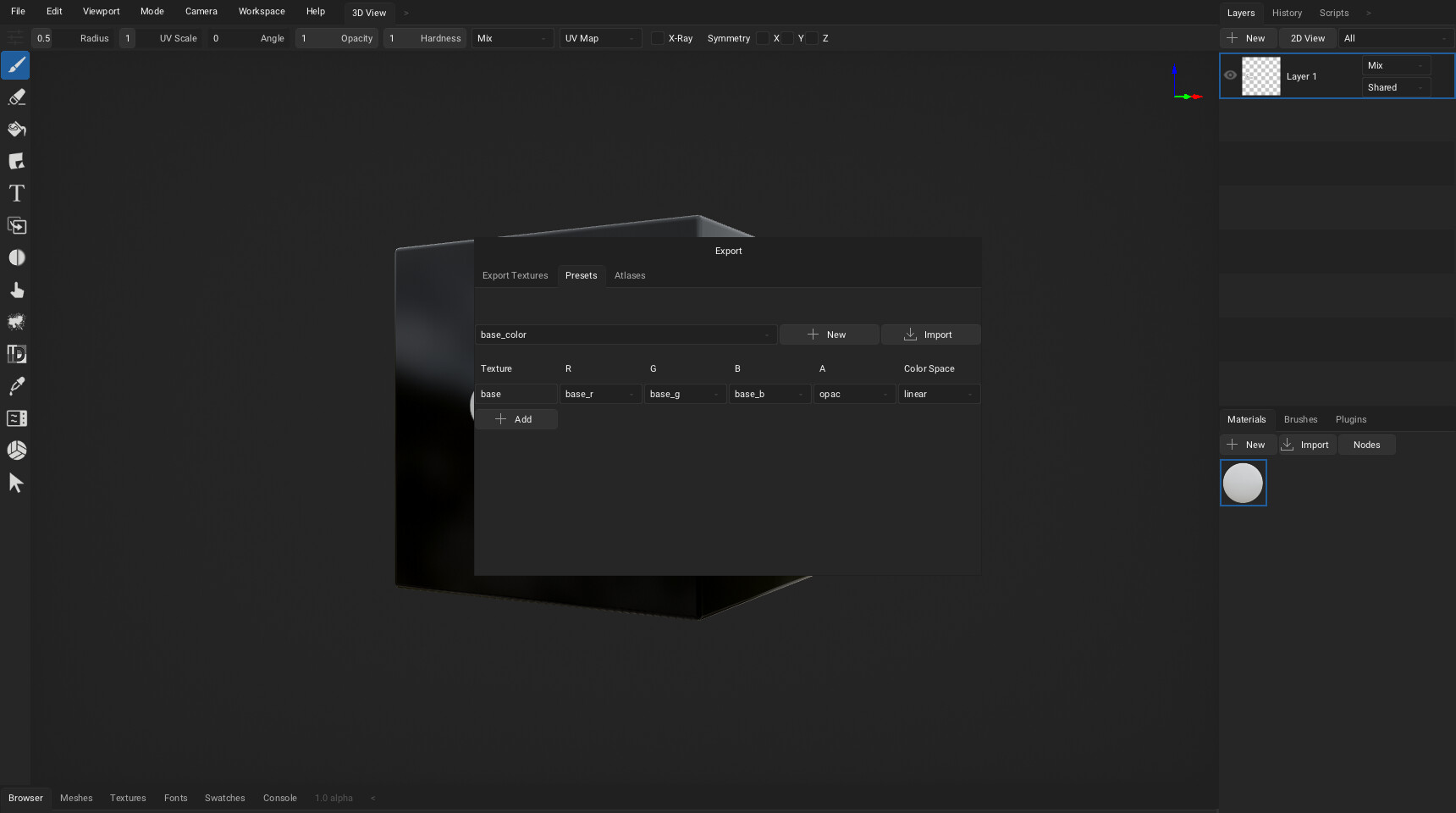
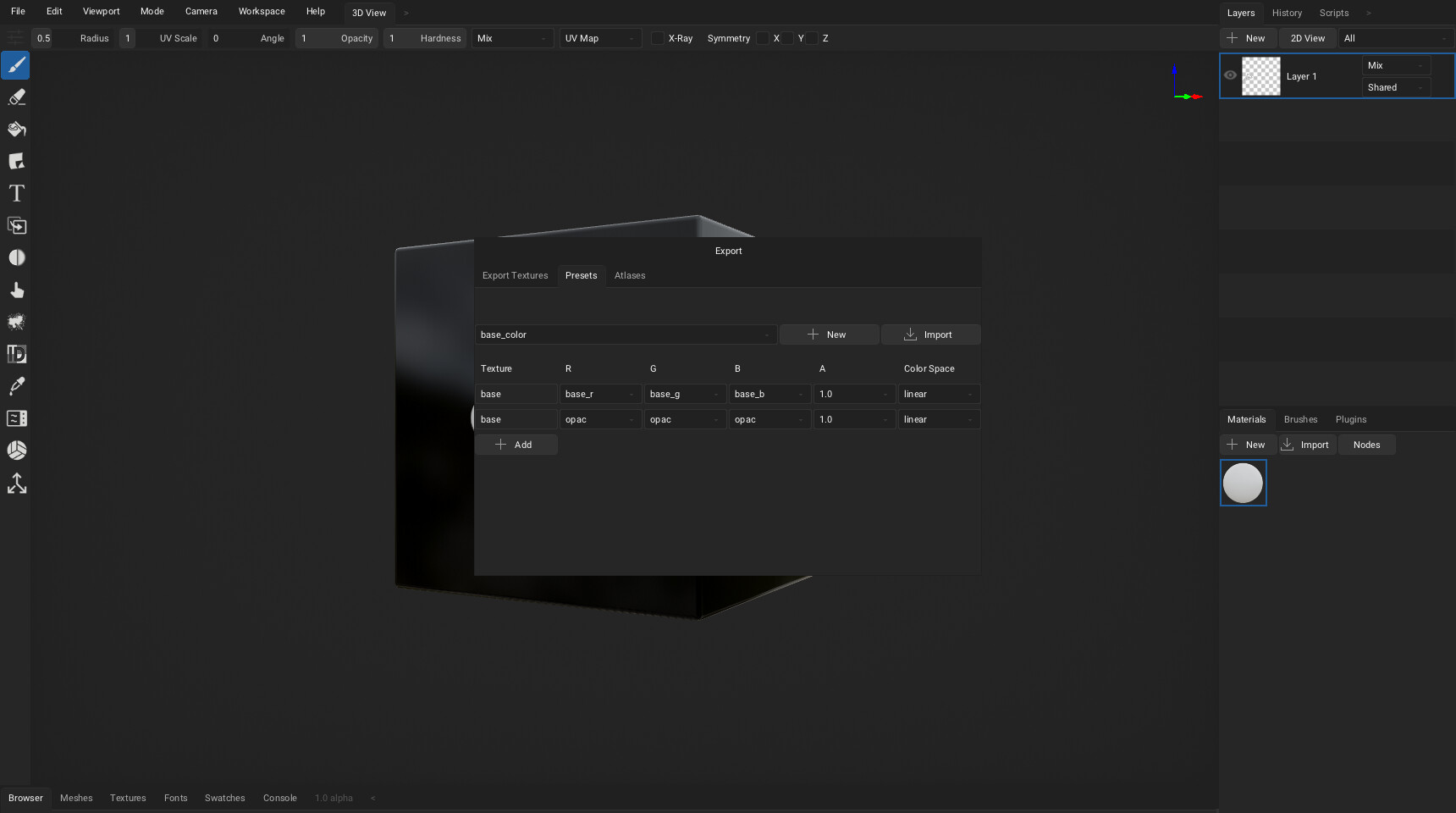
Hm, by default the opacity is not exported, as armorpaint expects you generally texture the whole model. To export opacity - go into the Presets tab during export, and either set opac as A channel of the base color, or add a separate opacity texture.

Maybe I could add another pre-built preset to make it easier.
1 Like

Ahhh ok, thanks for pointing that out!

Perhaps as a recommendation: Change the tab name to “Export Settings”.

I’ll take the hit though for not thinking of looking at that tab.

Thanks again for the assist!